Side project tracker for macOS developers
See the whole picture.
Add your projects.tools.repos.assets.notes.domains.todos.ideas.projects. Connect the dots. Get the context.
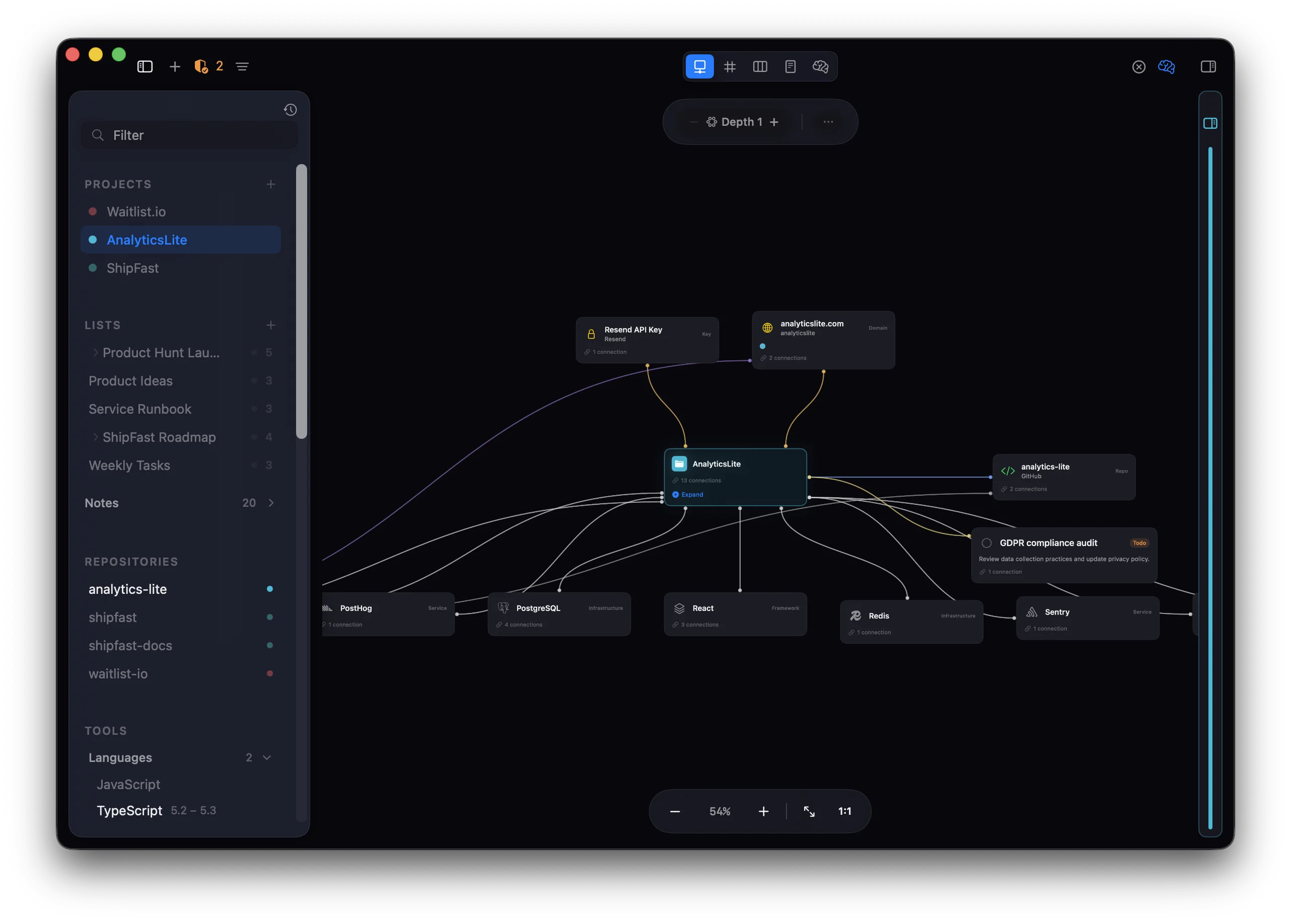
Track what matters. Connect everything.
Five ways to see your projects.
Same data, different perspectives. Switch views instantly.
Interactive graph with draggable cards and live connection lines.
Subway-map grid showing every relationship at a glance.
Grouped by type for fast scanning and batch operations.
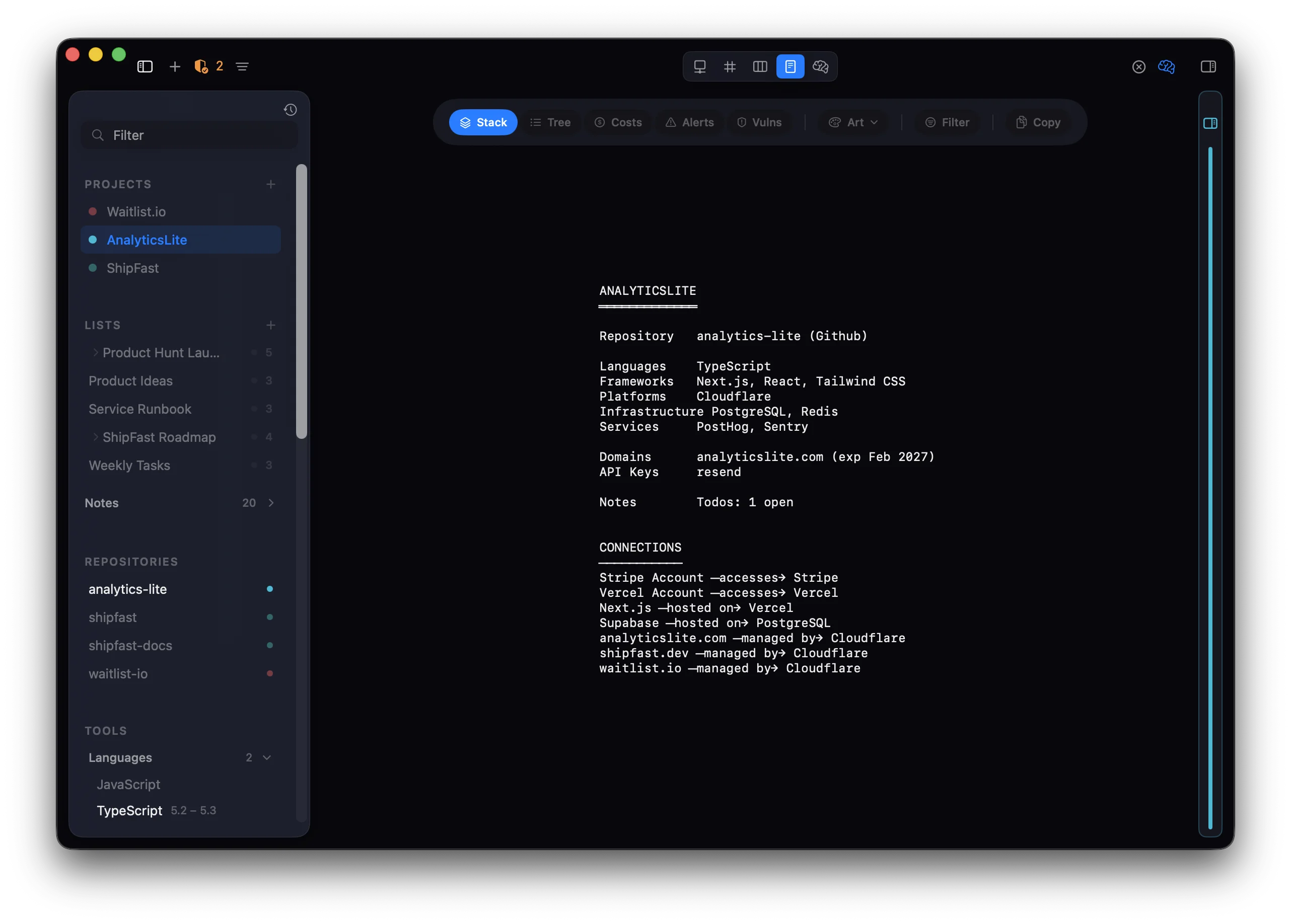
ASCII diagrams you can copy into docs, READMEs, or AI prompts.
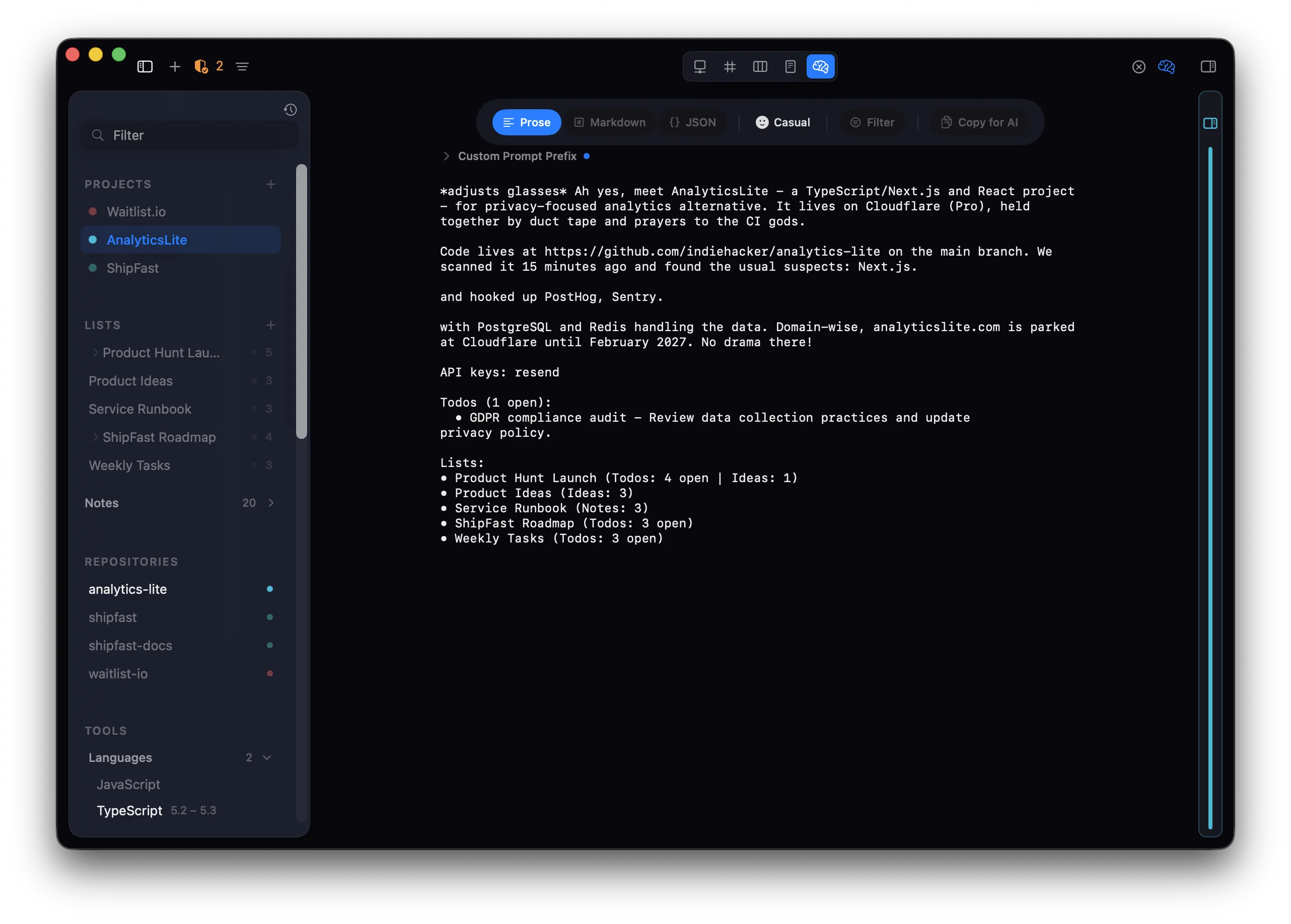
AI-ready project summaries in JSON, YAML, Markdown, or plain text.
Add any project, tool, or domain instantly.
One shortcut to add anything. Paste a URL, domain, or package name — the type is detected automatically.
Connect to your stack.
Pull live data from the platforms you already use. Tokens stored in Keychain.
Your projects, inside your AI tools.
Built-in MCP server that works with 9 AI tools. Query projects, check vulnerabilities, and manage todos — from your local data.
Your data. Your device. Period.
No account, no cloud, no tracking. Everything stays on your Mac.
All data lives on your Mac in a SwiftData store. Optional iCloud sync between your devices — never our servers.
API tokens for platform integrations are stored in the macOS Keychain. Never synced, never exposed.
No analytics, no telemetry, no crash reporting. No network requests except the ones you explicitly configure.
Pure SwiftUI + SwiftData. Zero dependencies. Sandboxed.
Ready to see the whole picture?
Free during beta. No account needed.
Requires macOS 15 or later. iOS companion app with iCloud sync.
Common questions.
What is Sidecontext?
A macOS app for developers who juggle multiple side projects. It tracks your projects, tools, repos, domains, and costs — and maps the relationships between them.
Is Sidecontext free?
Free during beta — no subscription, no account required. Download and start adding your projects. Pricing after beta hasn't been announced yet.
What is the MCP server?
A built-in Model Context Protocol server that lets AI tools like Claude Code, Cursor, and VS Code Copilot query your project data. Your AI assistant can look up tools, check vulnerabilities, manage todos, and get full project context — all from local data.
Does Sidecontext track costs?
Yes. Track monthly costs for platforms, services, domains, and infrastructure across all your projects with per-project breakdowns.
Does it work with Claude, Cursor, and VS Code?
Yes. The MCP server works with 9 AI tools: Claude Code, Claude Desktop, Codex CLI, Gemini CLI, Cursor, Windsurf, VS Code / Copilot, JetBrains IDEs, and Zed.
Is my data private?
Yes. All data lives on your Mac in a SwiftData store. API tokens are stored in macOS Keychain. No analytics, no telemetry, no network requests except the ones you configure. Optional iCloud sync between your own devices — never third-party servers.